
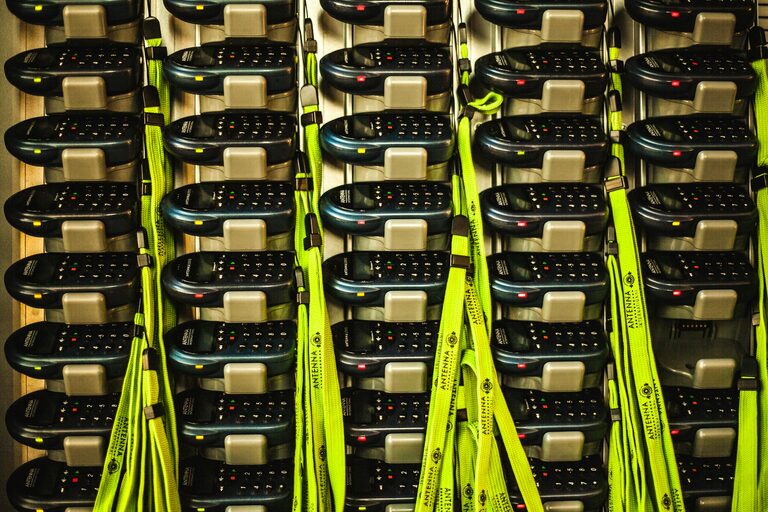
Creating a dedicated charging station for your devices can transform your daily routine. Instead of hunting for outlets, tangled cables, or low battery alerts, you’ll have a neat, convenient spot where all your devices power up effortlessly. Whether you have smartphones, tablets, laptops, or wearables, a well-organized charging station helps keep everything ready to go.
In this post, we’ll guide you through everything you need to know to set up a practical and stylish charging station at home.
Why Set Up a Charging Station?
Before jumping to the setup, it’s helpful to understand why a charging station can be a valuable addition:
– Organization: Keeps all devices and cables in one place.
– Efficiency: Streamlines charging, saving time and energy.
– Clutter Reduction: Eliminates tangled cables and scattered devices.
– Safety: Reduces risk of overheating or electrical hazards.
– Aesthetics: Creates a tidy, visually pleasing environment.
Ready to get started? Let’s dive into the setup process.
Step 1: Choose the Right Location
Finding an ideal spot for your charging station is key to convenience and safety.
– High Traffic Area: Place it where you usually spend time, like the living room, kitchen counter, or near the front door.
– Close to Power Sources: Select a location near enough to electrical outlets to minimize cable extensions.
– Stable Surface: Use a desk, shelf, or dedicated charging table that can accommodate all devices.
– Ventilation: Ensure the area doesn’t get too hot to avoid device overheating.
Step 2: Decide on Your Charging Station Type
Depending on your needs and style preferences, you can choose from several charging station options:
1. **Multi-Port USB Charger**
A compact device with multiple USB ports that lets you plug in several devices simultaneously. Look for models with fast charging capabilities.
2. **Charging Dock or Stand**
Designed to hold devices while charging. Great for smartphones and smartwatches, these docks keep devices upright and accessible.
3. **DIY Charging Station**
Use everyday items like a wooden box, drawer organizer, or cable clips to create a personalized station.
4. **Wireless Charging Pad**
For newer devices supporting wireless charging, pads reduce cables and speed up your setup.
Consider the number of devices you need to charge regularly and whether they support wired or wireless charging.
Step 3: Gather Your Supplies
Here’s a basic checklist of items you might need:
– Multi-port USB charger or charging dock
– Power strip or surge protector with enough outlets
– USB charging cables compatible with your devices
– Cable organizers such as ties, clips, or sleeves
– Small organizers or trays to hold accessories
– Wireless charging pads (optional)
– Label stickers (optional) for cables and device spots
Step 4: Organize Your Cables
Cable management is crucial for a clean station.
– Label Your Cables: This makes it easy to identify which cable belongs to which device.
– Shorten Cables: Use cable ties or clips to avoid long, tangled cords.
– Route Cables Neatly: Arrange them along edges or behind furniture using adhesive cable clips.
– Use Cable Holders: Prevent cables from slipping off the surface when unplugged.
Step 5: Set Up and Arrange Devices
Arrange your charging station for both function and style.
– Group Similar Devices: Keep phones in one section, tablets in another.
– Keep Frequently Used Devices Accessible: Place these closest for ease of reach.
– Add Device Holders or Stands: This keeps devices upright and visible.
– Incorporate Small Storage: Use trays or containers for headphones, chargers, or adapters.
– Avoid Overcrowding: Leave space to easily insert or remove devices.
Step 6: Power and Safety Considerations
To keep your station safe and efficient:
– Use a surge protector to guard devices from electrical spikes.
– Avoid daisy-chaining multiple power strips.
– Check that charging devices and cables are certified and in good condition.
– Ensure that your setup allows airflow to prevent overheating.
– Keep liquids and food away from your charging station.
Step 7: Maintain Your Charging Station
Regular care will keep your station functional and tidy:
– Periodically dust and clean the surface and devices.
– Replace worn-out cables or chargers promptly.
– Reorganize cables and accessories if the station gets cluttered.
– Update your equipment if newer, faster charging options become available.
Bonus Tips for a Stylish Charging Station
– Choose chargers and cable organizers in colors that match your decor.
– Use decorative boxes or baskets to hide power strips.
– Add subtle lighting like LED strips for a modern look.
– Include small plants or artwork for added personality.
Conclusion
Setting up a charging station doesn’t need to be complicated or expensive. With some planning and the right tools, you can create a centralized, efficient hub for all your devices that saves time, reduces clutter, and looks great in your home. Start by picking the perfect spot, gathering your supplies, and organizing your cables. You’ll soon enjoy a seamless way to keep your technology powered—and your space neat.
Give your devices a home they deserve and experience the convenience of a well-designed charging station!